Start right away
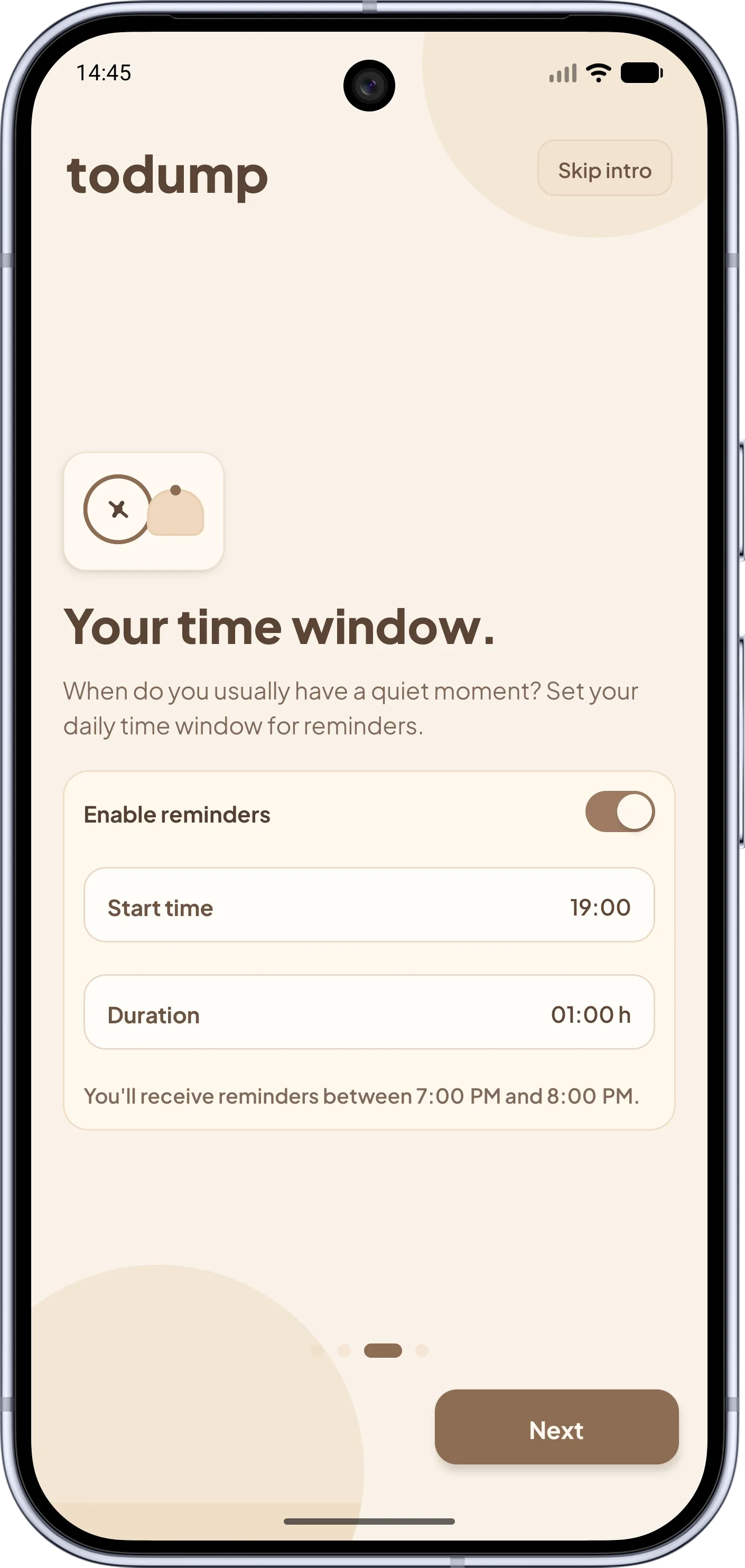
Install, choose a time window, type your first thought. No account, no lists you have to set up first.
Microsoft To Do is a strong planner for work and teams. For private, loose thoughts it is often more effort than needed. todump needs no account, no date, and no plan for the day – and still reminds you.
Microsoft To Do offers lists, due dates, repeats, shared lists, and Outlook integration. For that you need a Microsoft account, and the app is strongest at planning. todump goes the opposite way: you capture thoughts with no account and no date, and the app brings them back to you.
An example: in Microsoft To Do you pick what goes into "My Day" each day, and the list resets overnight. That helps if you like to plan. If you do not, you end up with empty days and forgotten lists. todump drops that step: once, you set a daily time window, and inside it todump nudges you about all open items – until you check them off.
The pace differs too. A todump entry is a single word, with no list, date, or repeat rule. If the reminder comes at a bad moment, you snooze it for 10 minutes, 30 minutes, or an hour.
The key differences at a glance – including where Microsoft To Do shines.
Microsoft To Do Microsoft account required (personal or work/school).
todump No account, no login.
Microsoft To Do "My Day": you choose each day, the list resets overnight.
todump You plan nothing; open entries return inside the time window.
Microsoft To Do Due date, reminder, and repeat per task.
todump No due dates, nothing becomes "overdue".
Microsoft To Do Lists, list groups, steps, notes.
todump One list, optional note, drag & drop.
Microsoft To Do Sync via your account, shared lists, Outlook integration.
todump No sync, no sharing: one device.
Microsoft To Do Android, iOS, Windows, web.
todump Android and iOS.
Microsoft To Do Cloud-based, data lives in your Microsoft account.
todump Fully offline, data stays local.
Microsoft To Do Free.
todump Free; optional Pro from €0.99 a month.
Less setup, fewer decisions, more reliability.
Install, choose a time window, type your first thought. No account, no lists you have to set up first.
With "My Day" you decide anew every morning. todump takes that off your plate: one time window in which all open items come back.
Without a due date there is no overdue pile. More on the stress-free to-do list.
Postpone for 10 minutes, 30 minutes, or 1 hour right from the notification. On Android it even works with the app closed.
No cloud, no account, no ads: todump works fully offline.
No list groups, no steps, no categories. If you need structure and teamwork, Microsoft To Do has it; todump only does the reminding.
The most important answers about the difference.
For private tasks and loose thoughts, yes. todump needs no account, no due dates, and no lists. For teamwork, shared lists, Outlook integration, or use on a Windows PC, Microsoft To Do remains the better choice.
No. todump works without registration and without a login. After installing, the app works right away and fully offline.
In "My Day" you assemble what is due today yourself, and the list resets overnight. In todump that planning step disappears: all open entries stay, and you get one reminder a day inside your time window until you check them off.
Not as a repeat rule ("every Monday"). In todump every open entry returns daily until it is done. For fixed, regular appointments a calendar or Microsoft To Do remains the better tool.
You can install todump on several devices, but entries are not synced. Each installation has its own list. Data export and import are planned for the future but not available yet.
The core features are free and ad-free. Optionally there is todump Pro with home screen widgets, app lock, and additional color themes (€0.99 per month, €8.99 per year, or €16.99 one-time).
As of October 2026. Features of other apps may change; the vendors' own information is authoritative. Microsoft, Microsoft To Do, Outlook, and Windows are trademarks of the Microsoft group of companies. todump is not affiliated with the vendors mentioned.
Download todump, set up your time window in under a minute, and capture your spontaneous ideas.


Now available for Android and iOS.
Free · no sign-up · works offline