Ready right away
Install, choose a time window, type your first thought. No email address, no password, no confirmation mail.
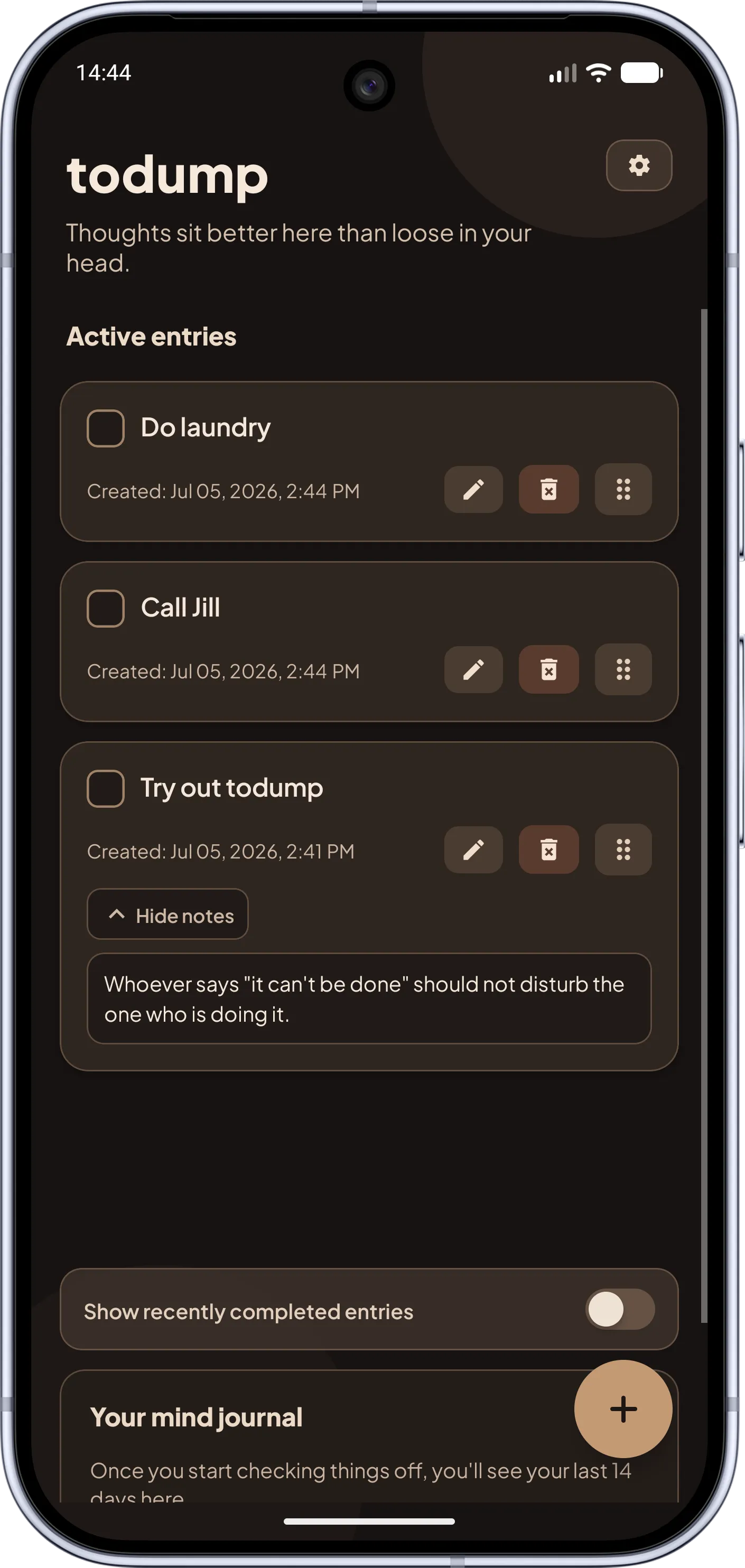
No account, no cloud, no internet needed. todump stores everything locally on your device and still reminds you – daily, inside your time window, until it is done.
Most to-do apps live in the cloud: you create an account, log in, and your tasks sit on someone else's servers. That brings sync and teamwork – but also sign-ups, a dependence on the internet, and the question of who can see your thoughts. todump goes the other way: there is no server that stores your entries and no account you have to create.
Reminders still work reliably because they are scheduled on the device. Once, you set a daily time window, and inside it todump nudges you about your open items – in airplane mode, in a dead zone, while traveling. Snooze (10 minutes, 30 minutes, or 1 hour) works without a network too. It is the opposite of the calendar you eventually stop opening: the reminder comes to you.
Offline has a price, and we state it openly: todump does not sync between devices. Each installation has its own list. Data export and import are planned for the future but not available yet. If you need the same list on several devices or in a team, a cloud app serves you better.
The difference is where data lives – with pros and cons on both sides.
Typical cloud app Usually sign-up or login required.
todump No account, ready right away.
Typical cloud app On the vendor's servers.
todump Locally on your device.
Typical cloud app Needed for sync and often to start.
todump Never needed – reminders run offline too.
Typical cloud app Yes, automatic sync.
todump No, one device per installation.
Typical cloud app Often: shared lists and teams.
todump Not intended.
Typical cloud app Covered by the cloud.
todump Export & import are planned.
Typical cloud app Depends on the app; common in free plans.
todump No ads.
Fewer hurdles, less dependence, more calm.
Install, choose a time window, type your first thought. No email address, no password, no confirmation mail.
Your entries never leave the device. To lock it down further: with Pro, an app lock using fingerprint, Face ID, or PIN protects the list.
Notifications are scheduled on the device. Time window, weekday exceptions, and snooze work in airplane mode as well.
todump shows no ads. Anonymous usage analytics to improve the app are optional and can be switched off in settings; the content of your entries is never part of it.
With no account, sync status, or deadlines, only the essentials remain. This is how calm a to-do list can feel.
No sync and no sharing: cloud apps exist for that. If you want a calm, private list just for yourself, you do not need either.
The most important answers on privacy, offline use, and limits.
Yes. Capturing, editing, checking off, sorting, and all reminders run fully offline because everything is stored and scheduled on the device. You only need internet for app store updates and, if you use it, for purchasing todump Pro.
No. There is no registration and no login. You install the app and get started. Even todump Pro runs through your store account, not a todump account of its own.
Only locally on your device. There is no todump server that stores or reads entries or notes. The optional support form only sends something when you fill it out and submit it yourself.
You can install the app on several devices, but there is no synchronization. Each installation has its own list. Data export and import are planned for the future but not available yet.
Since there is no cloud and no sync, entries are not transferred to a new device automatically. Data export and import are planned for exactly that but not available yet. Until then you re-enter open items on the new device – usually one word per entry.
todump shows no ads and does not read the content of your entries. Optional anonymous usage analytics help improve the app; you can switch them off in settings under "Privacy & Security". Details are in the privacy policy.
Yes, todump. Reminders are scheduled on the device, so they arrive without internet: once a day inside your time window, with snooze for 10 minutes, 30 minutes, or 1 hour.
Download todump, set up your time window in under a minute, and capture your spontaneous ideas.


Now available for Android and iOS.
Free · no sign-up · works offline